


Understanding Section 508 in Plain Language
Section 508 is a federal law requiring that electronic and information technology purchased or developed by federal agencies be accessible to people with disabilities. For K-12 schools, this matters because any district receiving federal funding—which includes nearly every public school system in the country—must ensure their digital content complies with accessibility standards when those standards apply.
The law emerged from the Rehabilitation Act of 1973, with Section 508 specifically addressing technology accessibility. Updated in 2017 to incorporate WCAG 2.0 Level AA standards, Section 508 now provides concrete technical requirements for making websites, documents, software, and digital communications accessible to people who use screen readers, keyboard navigation, or other assistive technologies.
For school districts, Section 508 intersects with other accessibility laws like the Americans with Disabilities Act and IDEA to create a comprehensive framework for digital accessibility. While the specific legal mechanisms differ, the practical outcome is the same: districts must provide equal access to digital information for students, staff, parents, and community members with disabilities.
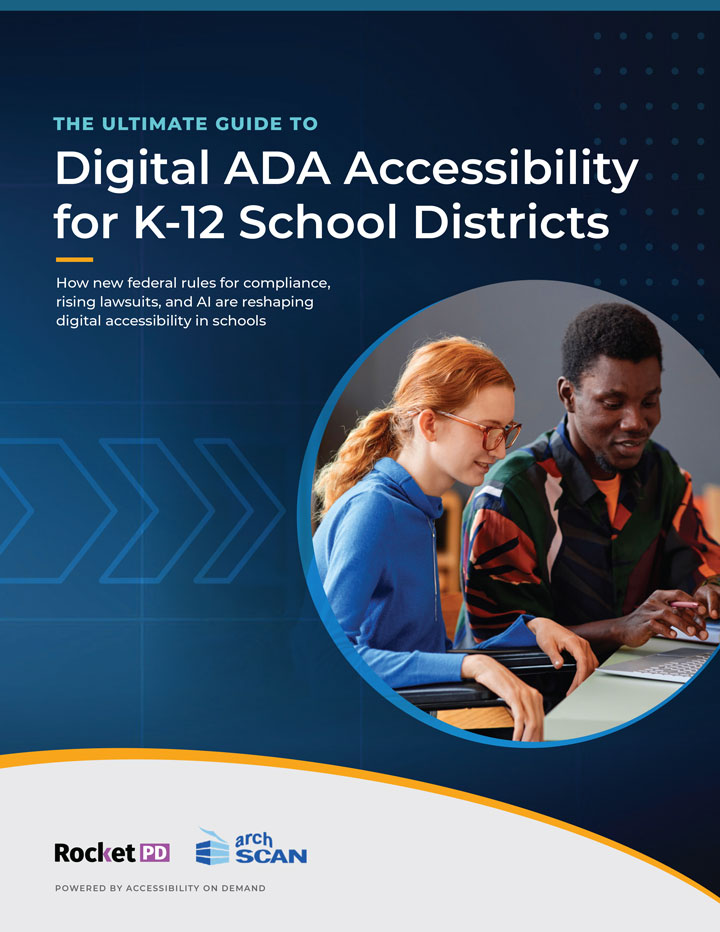
Free Guide
Download Now
No spam. Just actionable insights for district leaders.
What Section 508 Requires in Practice
Section 508 compliance isn’t abstract. It translates to specific, testable requirements for how school districts create and manage digital content. Understanding these requirements helps districts move from vague awareness that “accessibility matters” to concrete action.
Documents must have proper structure. PDFs need tagged headings, lists, and reading order so screen readers can navigate content logically. A parent using assistive technology should be able to jump between sections of your student handbook just like a sighted parent can scan visually. Tables require header associations that make row and column relationships clear without seeing the layout.
Images need alternative text. Every meaningful image—charts showing budget allocations, diagrams explaining bus routes, photographs in newsletters—requires descriptive text that conveys the same information to someone who can’t see the image. Decorative images should be marked as such, so screen readers skip them rather than announcing meaningless descriptions.
Forms must be keyboard accessible. Online enrollment forms, permission slips, or survey tools need to work for people who can’t use a mouse. All form fields need clear labels, and the tab order should flow logically through the document. Error messages should be announced to assistive technology, not just displayed visually.
Color cannot be the only way to convey information. If your facilities map uses color coding to show which buildings are elementary versus middle schools, that same information needs to be available through text labels or patterns. According to Section 508 technical standards, information should never rely solely on color perception.
Content must be perceivable, operable, understandable, and robust. These four principles—borrowed from WCAG—underpin all Section 508 requirements. Can someone perceive your content through alternative senses if they can’t see or hear? Can they operate interactive elements using different input methods? Is the information clear and predictable? Does it work with various assistive technologies?
Why Compliance Matters Beyond Legal Obligation
Districts sometimes approach Section 508 as a checkbox compliance exercise—something to do because regulations require it. This misses the larger point. Accessible documents serve everyone better, not just people with disabilities.
Parents whose first language isn’t English often use translation software that works better with properly structured documents. Staff members accessing district information on mobile devices benefit from content that adapts to different screen sizes and input methods. Community members searching for specific information in long policy documents can navigate more easily when headings and structure are properly marked.
Beyond practical benefits, accessibility reflects institutional values. When a district invests in making information genuinely accessible, they demonstrate commitment to inclusive education and transparent governance. A parent who can independently access the same board meeting minutes or budget reports as every other community member feels like a full participant in their child’s education.
The legal framework exists because accessibility doesn’t happen automatically. Market forces and good intentions alone didn’t produce accessible technology. Section 508 creates accountability by requiring that federally-funded entities prioritize accessibility in their technology decisions and content creation processes.
Common Compliance Gaps in School Districts
Most districts aren’t intentionally creating inaccessible content. The gaps arise from workflow issues and knowledge deficits that compound over time. Understanding where problems typically emerge helps districts address root causes rather than just fixing individual files.
PDFs created from scans without OCR. When administrative staff scan a paper document and save it as PDF without running optical character recognition, they create an image-only file that’s completely inaccessible to screen readers. The document looks fine visually, but assistive technology sees nothing but a picture.
Documents created in Word but not properly tagged. Microsoft Word has accessibility features built in, but they only work if staff use heading styles, add alt text to images, and create structured tables. A document that looks organized to the eye might have no meaningful structure for assistive technology if created using manual formatting instead of styles.
Legacy materials that predate accessibility awareness. Older documents stored in your digital archives—board minutes from 2010, student handbooks from 2015, facilities reports from 2008—were created before districts prioritized accessibility. These files accumulate into large backlogs that require systematic remediation.
Third-party content and vendor materials. Curriculum supplements, assessment tools, and educational resources purchased from vendors may not meet Section 508 requirements. Districts need to verify accessibility before adoption and include compliance requirements in procurement contracts.
Web content and online forms. Your district website might have been designed before WCAG 2.0 became standard. Online forms for registration, surveys, or public records requests may work fine for mouse users but fail for people navigating by keyboard or screen reader.
Building Sustainable Section 508 Compliance
Section 508 compliance isn’t a one-time project. It requires ongoing attention as your district creates new content, updates existing materials, and adopts new technologies. Sustainable compliance combines staff training, workflow integration, and systematic remediation of legacy materials.
Staff who create documents need basic accessibility training: how to use heading styles in Word, add alt text to images, create accessible tables, and check their work with built-in accessibility checkers. These skills become part of normal document creation rather than special procedures reserved for certain files.
Your procurement process should include accessibility requirements for all technology purchases and vendor contracts. Before adopting new software, curriculum materials, or web services, verify they meet Section 508 standards. Include compliance language in contracts so vendors understand accessibility is non-negotiable.
For existing documents, prioritize based on public access frequency and legal exposure. Current student-facing materials and frequently requested public records should be remediated first. Historical archives can follow a phased approach that acknowledges full remediation takes time but demonstrates systematic progress.
Understanding Section 508 transforms it from an intimidating compliance burden into a practical framework for serving your entire community. The technical requirements provide clear direction. The broader purpose—ensuring equal access to information for all students, families, and community members—makes the effort worthwhile.